














Practical guides for everyday life
Zotero for Beginners: Build a Research Library You Can Actually Use
A practical first project in Zotero: collect five sources, check their details, organize notes and build a repeatable research workflow without clutter.

Start with a question, not a huge collection
A reference manager becomes useful when it helps you return to a source and understand why you saved it. Filling a library with hundreds of unread documents is not the same as doing research. For your first Zotero project, choose one narrow question and collect only five useful sources. A manageable example is: “What practical changes make a small home workspace quieter?”
This guide proposes a beginner workflow rather than a complete tour of every feature. By the end, you should have a small collection whose records you have checked, notes you can understand later, and a clear distinction between a source's claims and your own conclusions. That is a stronger foundation than a complicated tagging system you never maintain.
1. Create one collection for the project
Zotero's official guide describes collections as a way to organize related items. Create a collection with a name that identifies the project, such as “Quiet workspace research.” Avoid naming it simply “Interesting,” because that says little about how the sources will be used. An item can belong to more than one collection without requiring a separate duplicate record for each project.
Keep the initial structure shallow. One project collection and a short note describing your question are enough. If you immediately add folders for every possible subtopic, you may spend more time classifying than reading. Add structure when you have a real retrieval problem: for example, when you need to separate measurement studies from practical installation instructions.
2. Save a source, then check its identity
The Zotero browser connector can help save material from the web. After adding a source, inspect the record rather than assuming every field is correct. Compare the title, creator, publication date and source location with the original page or document. A record imported from a website can be incomplete or use an unexpected item type.
Try this with one article and one report before collecting more. Can you reopen the original? Does the saved title identify the actual document rather than the website's homepage? If an attachment is present, open it. Access to an online article does not necessarily mean you have saved an offline copy. For material behind an account or subscription, use only access you are entitled to have.
3. Write notes that separate evidence from interpretation
For each source, write three short parts: the question it addresses, the evidence that matters to your project, and your own interpretation. Include a page number or section reference when it helps you return to the relevant passage. Mark any direct quotation clearly so you do not later mistake the author's wording for your own.
For the workspace example, a useful note might say that a report measured one particular room arrangement, followed by your observation that your room is much smaller. That difference is worth preserving. A weak note such as “good article, proves everything” gives you little to check later. Write enough context for your future self to understand the limit of the finding.
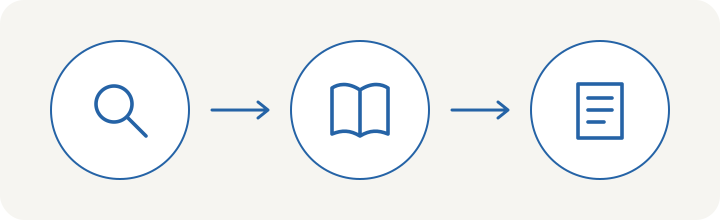
4. Use a few tags with a clear purpose
Collections can identify projects, while a small set of tags can describe a recurring status or topic. You might choose “to read,” “reviewed” and “needs checking” as your own workflow labels. These are suggestions, not required Zotero categories. Use the same spelling each time so that a search does not split one idea across several almost identical tags.
Before adding a tag, ask what you will do with it. “Needs checking” is useful if you regularly review that group. A vague tag attached to almost every item may not help. Do not confuse a workflow status with a judgment of reliability: “reviewed” means you examined a source, not that every statement in it is correct or universally applicable.
5. Practice retrieving and citing one item
Close the original browser tabs and try to find a specific source using Zotero's search. Then use your note to locate the relevant passage. This small exercise tests whether your organization works. If you cannot tell two records apart, improve the titles or notes before adding another twenty items.
When producing a bibliography or using Zotero's word-processor integration, choose the style required for your work and inspect the result. Automated formatting does not replace accurate metadata. Check names, dates and document titles against the originals. The point is to reduce repetitive formatting work while keeping responsibility for the final reference list.
A simple weekly maintenance routine
At the end of a week, review your newest five items. Open each attachment, remove accidental duplicates only after checking them, and finish incomplete notes. Write a short project summary describing what you now know and which question remains unresolved. This summary turns a pile of references into an argument you can continue developing.
Keep a backup plan for important research files and understand what your chosen sync arrangement includes. Do not treat a successful login as proof that every attachment is safely available elsewhere. The practical success test is simple: can you recover a source, explain why it matters, and identify what it does not establish? If so, your library is beginning to earn its place in your workflow.